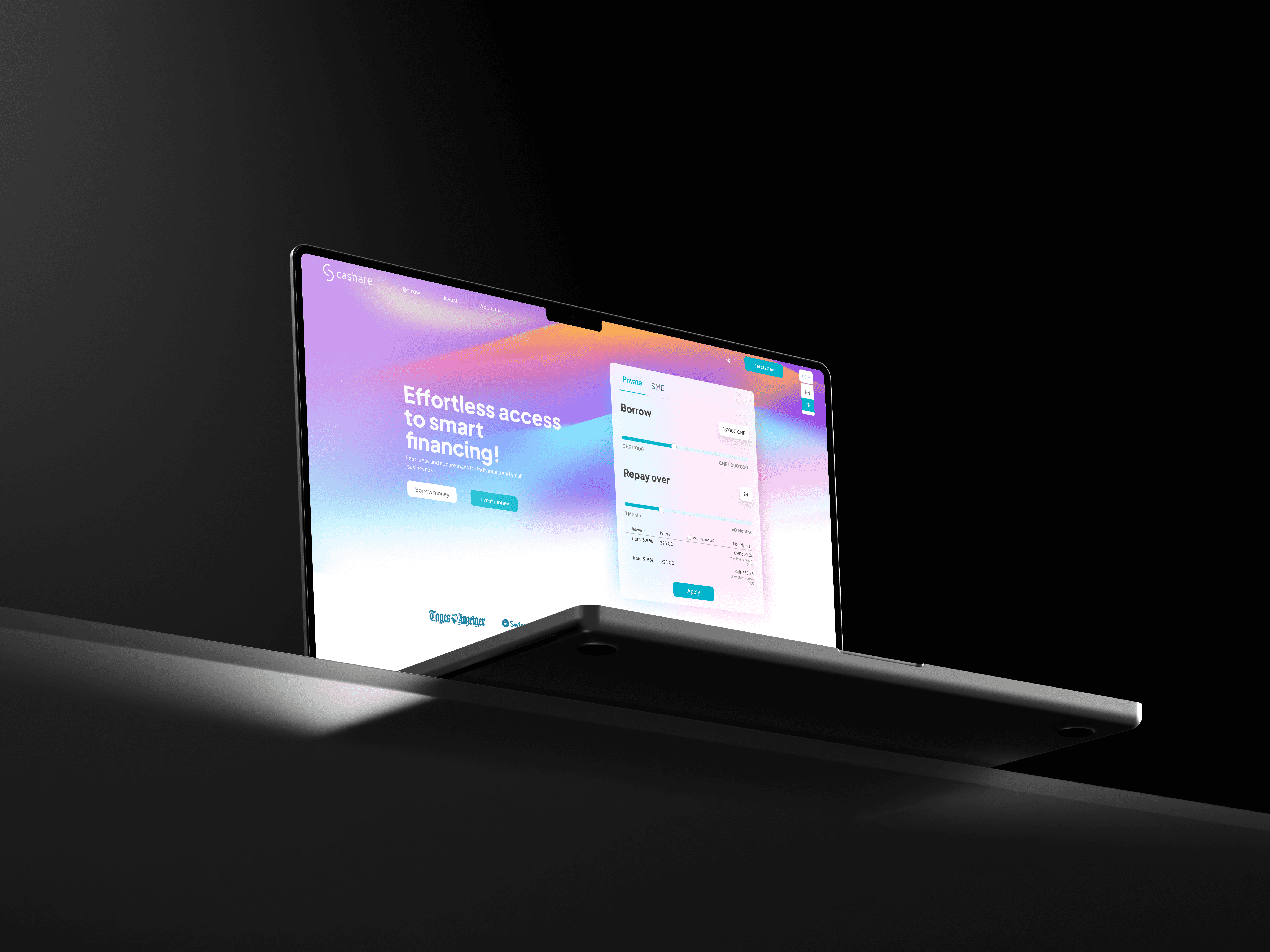
A dashboard loan agents actually want to open.
Client
Cashare Agent Portal Copy
Year
2025
Cashare's loan agents were juggling clients, projects, and contracts across too many tabs. I designed them one place to do all of it. Brokered volume up top, repayments below, customers a click away. Quiet where it needs to be, useful everywhere else.
Scope of Work

The Agent Portal
When Cashare brought me in, their loan agents were doing real work in fake conditions. Spreadsheets here, emails there, a CRM that nobody loved, and a website that wasn't built for the people actually closing loans. Everyone was getting the job done, but the job was harder than it needed to be.
So we started over. Not the company, just the workspace.
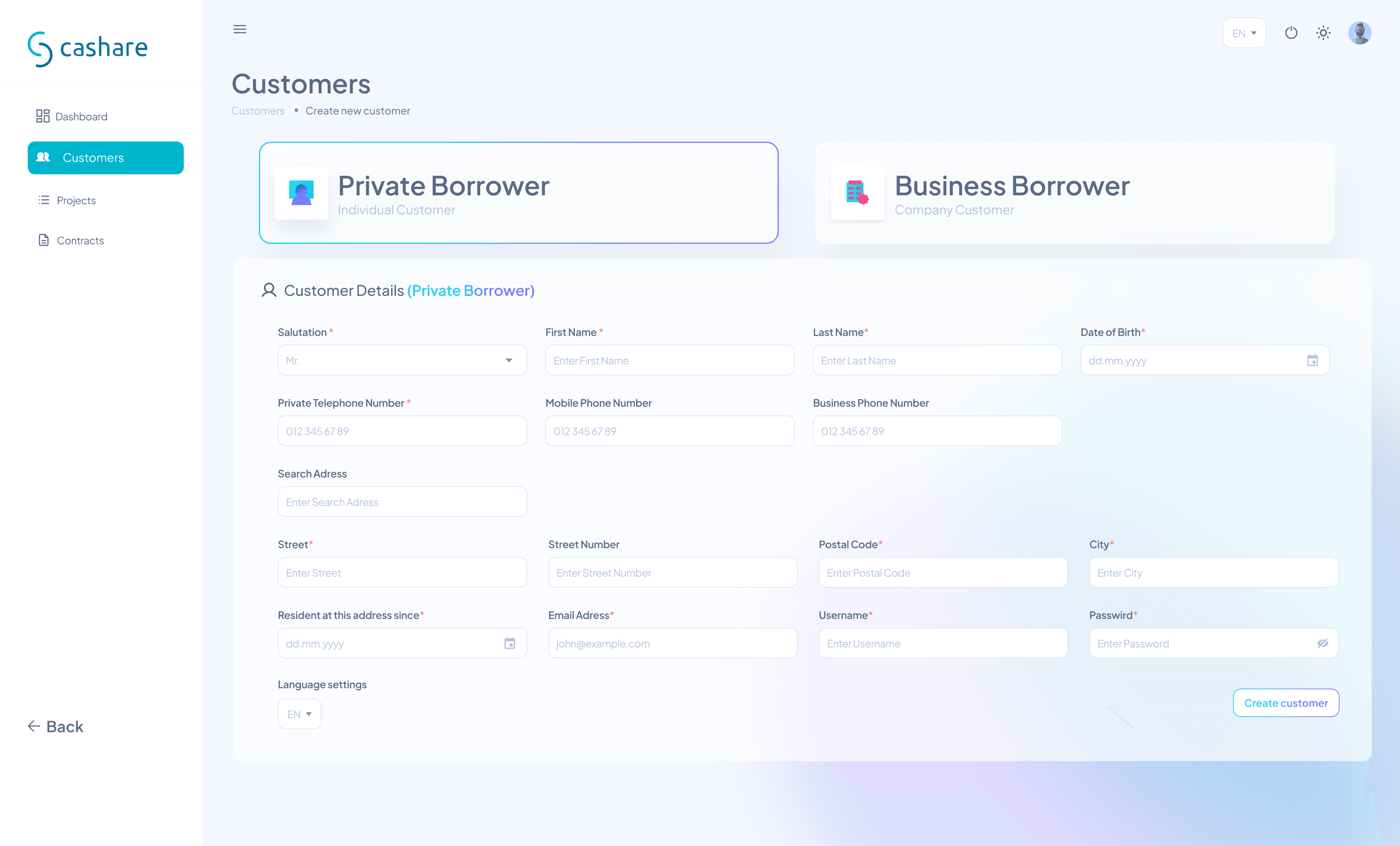
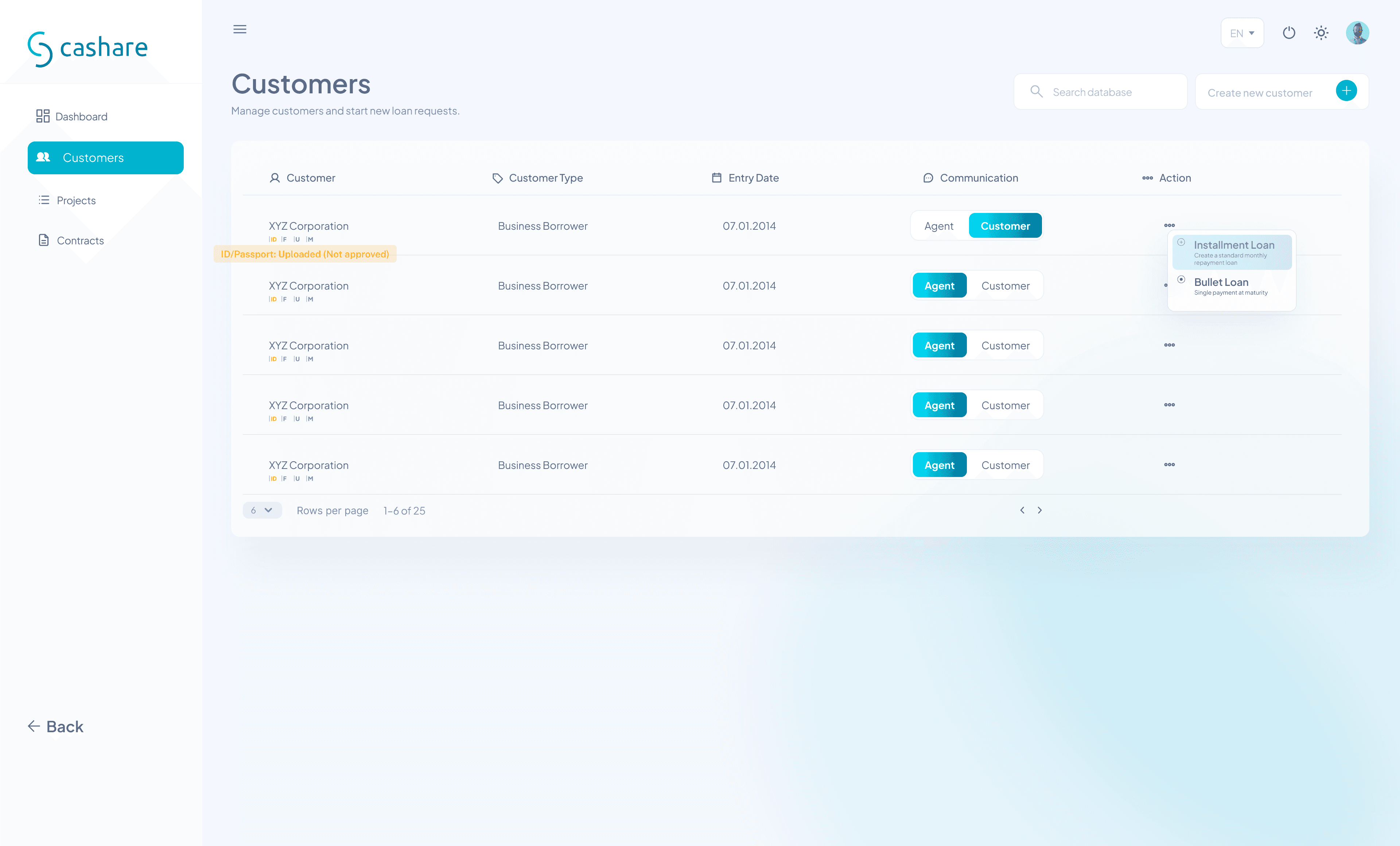
I spent time figuring out what an agent's day actually looks like. Not the polished version anyone would pitch in a meeting, the real one. The one where you're on the phone with a client, looking up their file, checking if their ID got approved, starting a new loan request, and remembering that one repayment thing from last week, all in the same ten minutes. That's the rhythm I was designing for.
The Agent Portal came out of that. One place where agents can see how their month is going, manage their clients, track projects, and handle contracts without bouncing between tools. I wanted it to feel calm. Loan work is already stressful enough without a screen yelling at you.
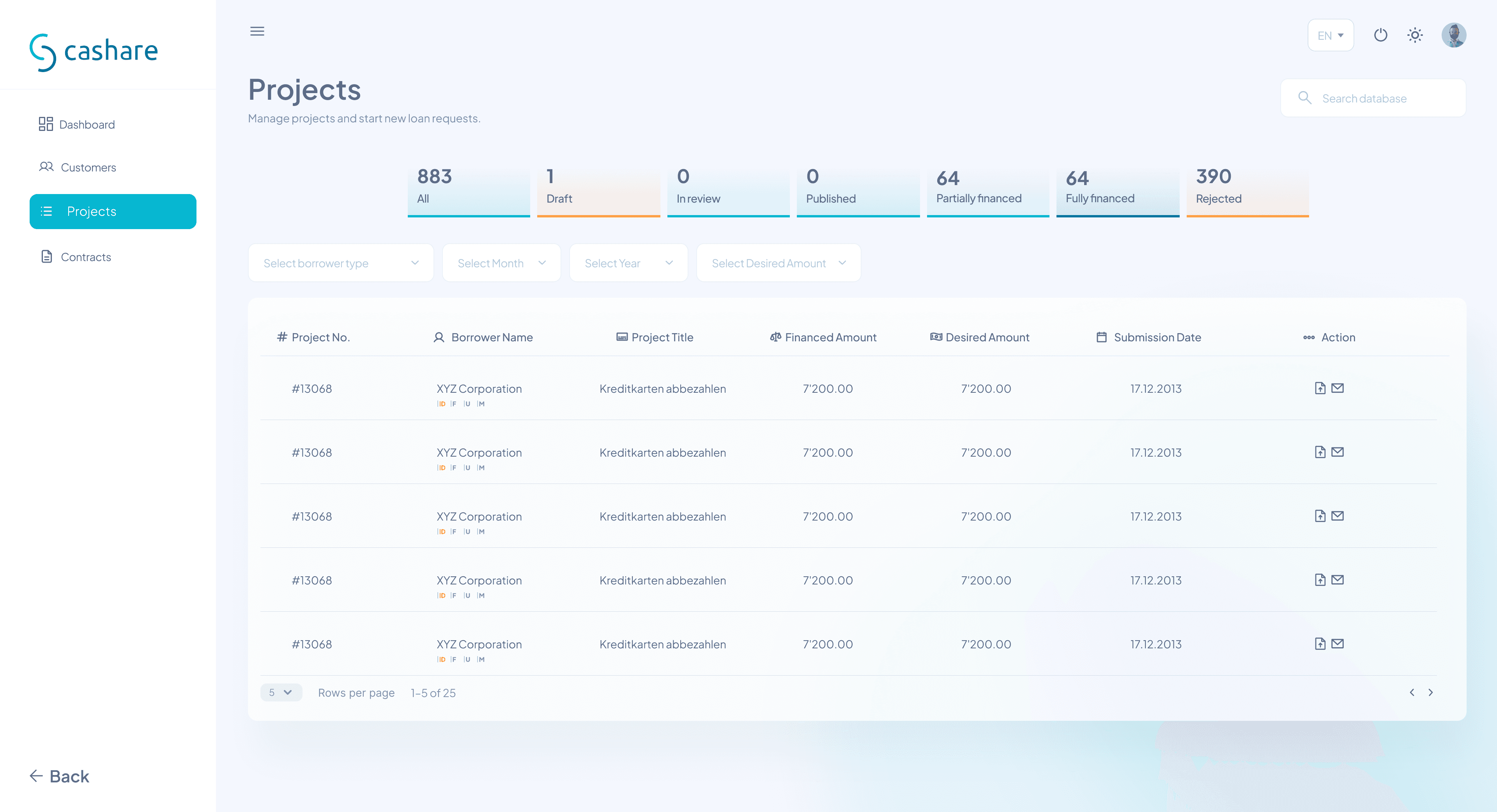
The hardest part wasn't the visuals, it was deciding what not to show. Dashboards love to throw every number at you at once. I kept asking, "would an agent actually use this in their day?" If the answer was no, it didn't make the cut. What's left is a small set of things that actually matter, laid out so you can read them in a glance.
The brand teal does a lot of quiet work here. It only shows up where something is interactive or important. Everything else stays soft, so your eye knows exactly where to land. No gradient parties. No 14 different shades of blue fighting each other.
By the end, the Agent Portal stopped feeling like a tool agents had to use. It started feeling like the tab they open first in the morning, on purpose.
That was the goal the whole time.
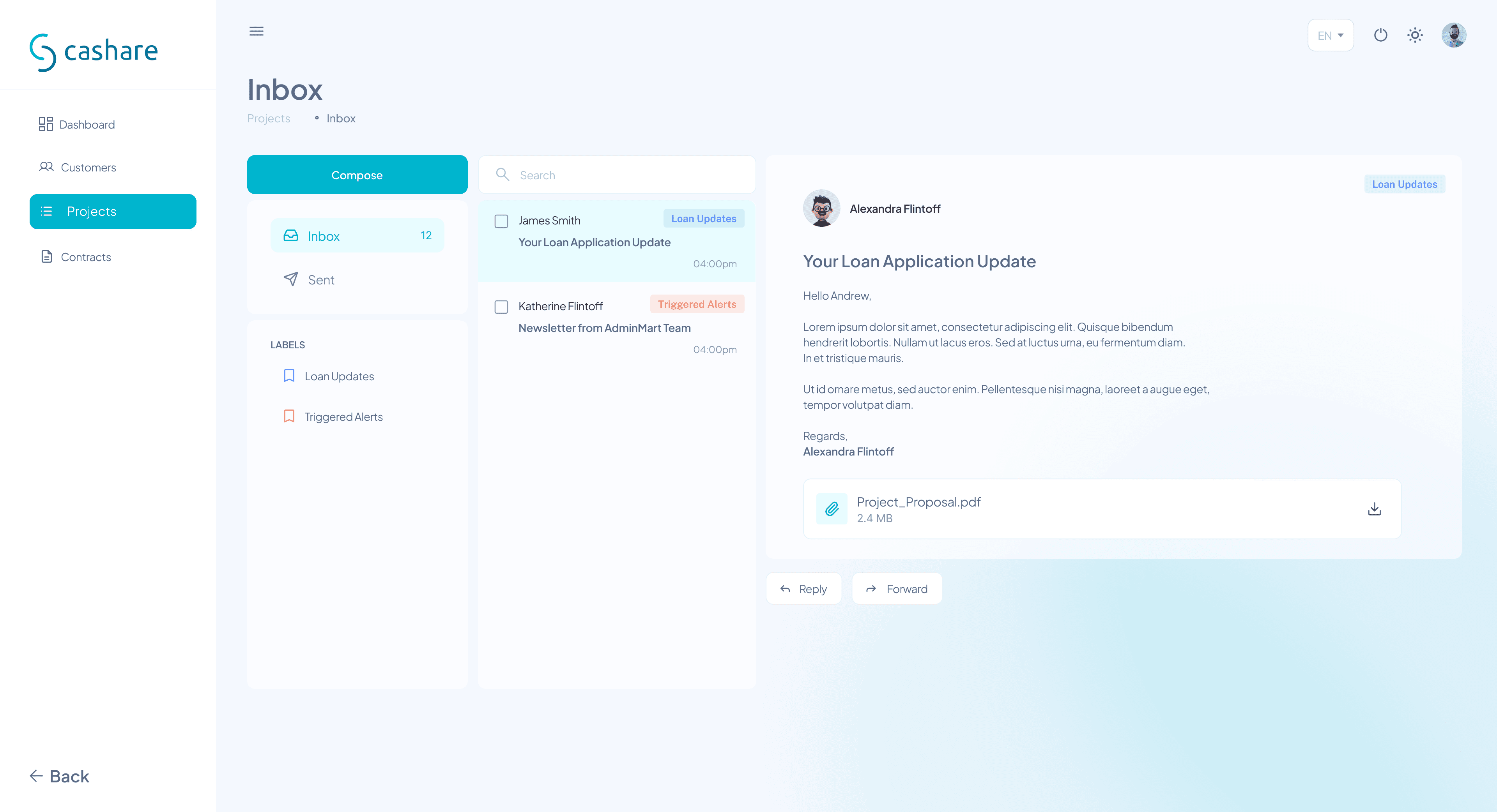
One of the things that came up early was how much agents talk to clients. Calls, follow-ups, document chases, the "did you ever send me that ID?" loop. Most of it was happening outside the portal in personal email or messaging apps, which meant nothing was tracked, nothing was searchable, and nobody could pick up where someone else left off.
So we built the Inbox right into the portal.
The idea was simple: keep client conversations in the same place agents are already managing those clients. If you're looking at someone's loan file, their messages are one click away. If a client replies, it lands here, not in some forgotten Outlook folder. Labels keep things sorted between loan updates and triggered alerts, so an agent can tell at a glance whether something is routine or actually needs attention.
I kept the layout familiar on purpose. Agents already know how an inbox works, there's no reason to reinvent that. What's different is how it fits into the rest of the portal. It's not a separate tool, it's part of the same workspace, with the same calm visual language. Same teal for the things you can act on, same soft background, same quiet rhythm.
The result is that client communication finally has a home. Nothing gets lost in someone's personal email, handovers between agents stop being a guessing game, and the work that used to live in twelve places now lives in one.
Every chart, card, and widget was built as its own little system, then layered together to make the dashboard feel calm instead of crowded. Designing the parts separately is what let the whole thing breathe.
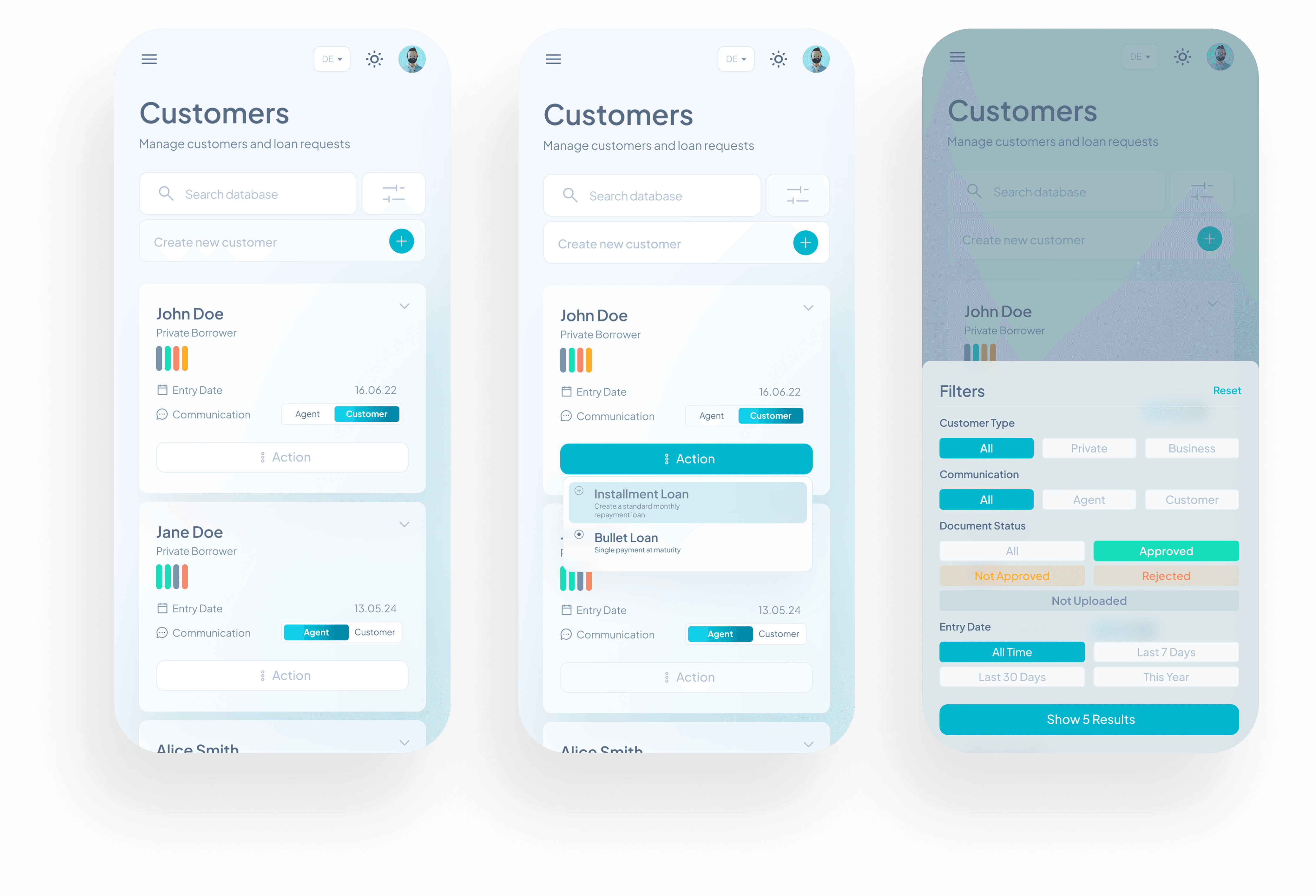
Customer rows became full cards, with the most important info (name, type, entry date, communication channel, document status) stacked so you can read it without zooming. The action menu opens right where your thumb already is, so starting a new loan is one tap, not five. And filters live in a slide-up sheet, big enough to tap clearly, organized by the things agents actually filter by: customer type, communication, document status, date.
Same logic as the desktop portal, same calm visual language. Just rebuilt for the way phones are actually held.
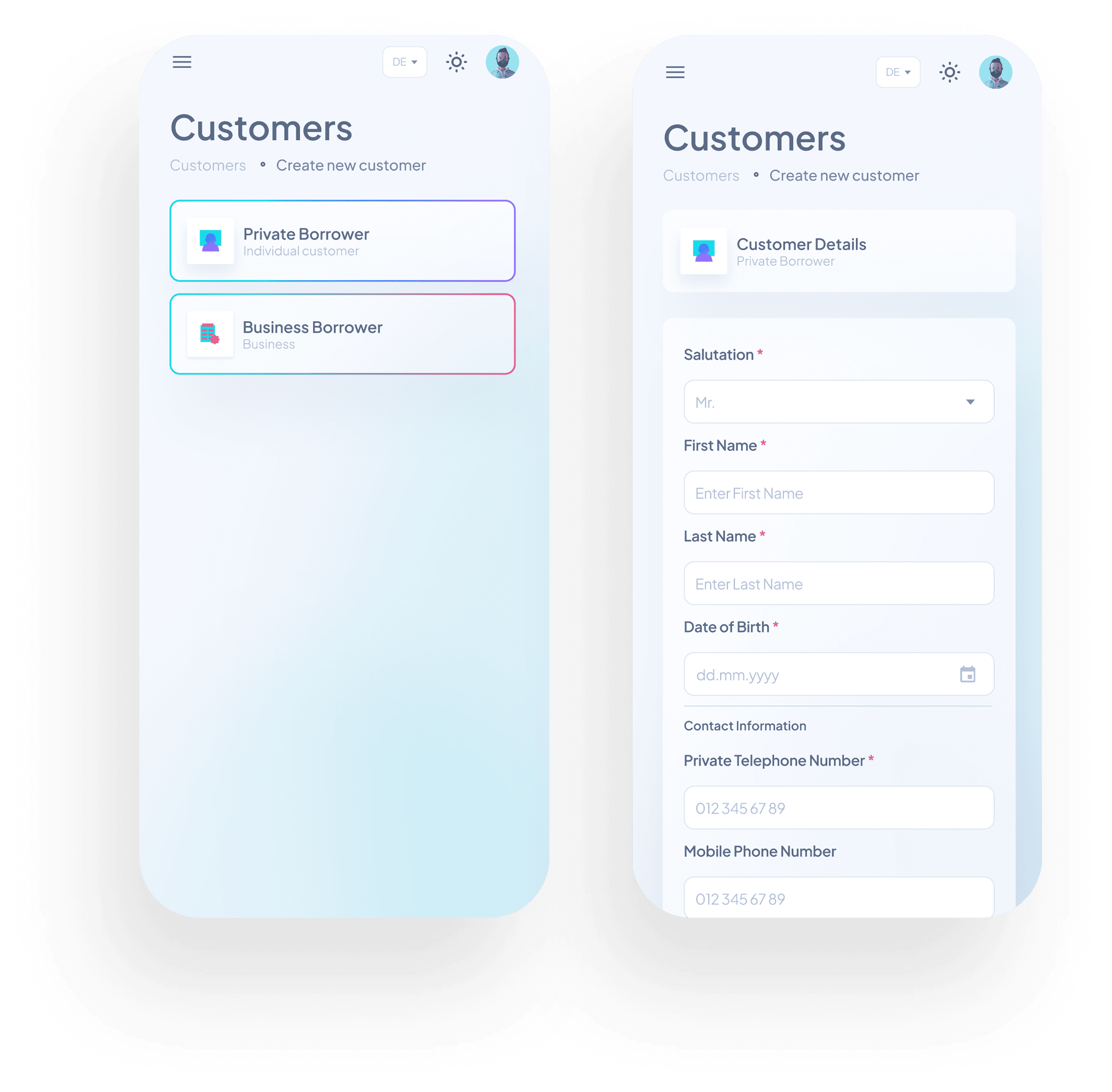
Adding a new customer used to be one of the most painful parts of an agent's day. Long forms, unclear fields, no sense of where you were in the process. So I broke it into two simple steps.
First, agents pick what kind of customer they're adding: private or business. Two big tappable cards, no guessing. Then the form opens with only the fields that actually apply to that type. Salutation, name, date of birth, contact info, all stacked clearly with proper input types so the right keyboard shows up on mobile (numbers for phone, dates for birthdays).
The required fields are marked, the inputs are sized for thumbs, and nothing is on screen that doesn't need to be. Adding a customer went from a chore to something an agent can do between calls.
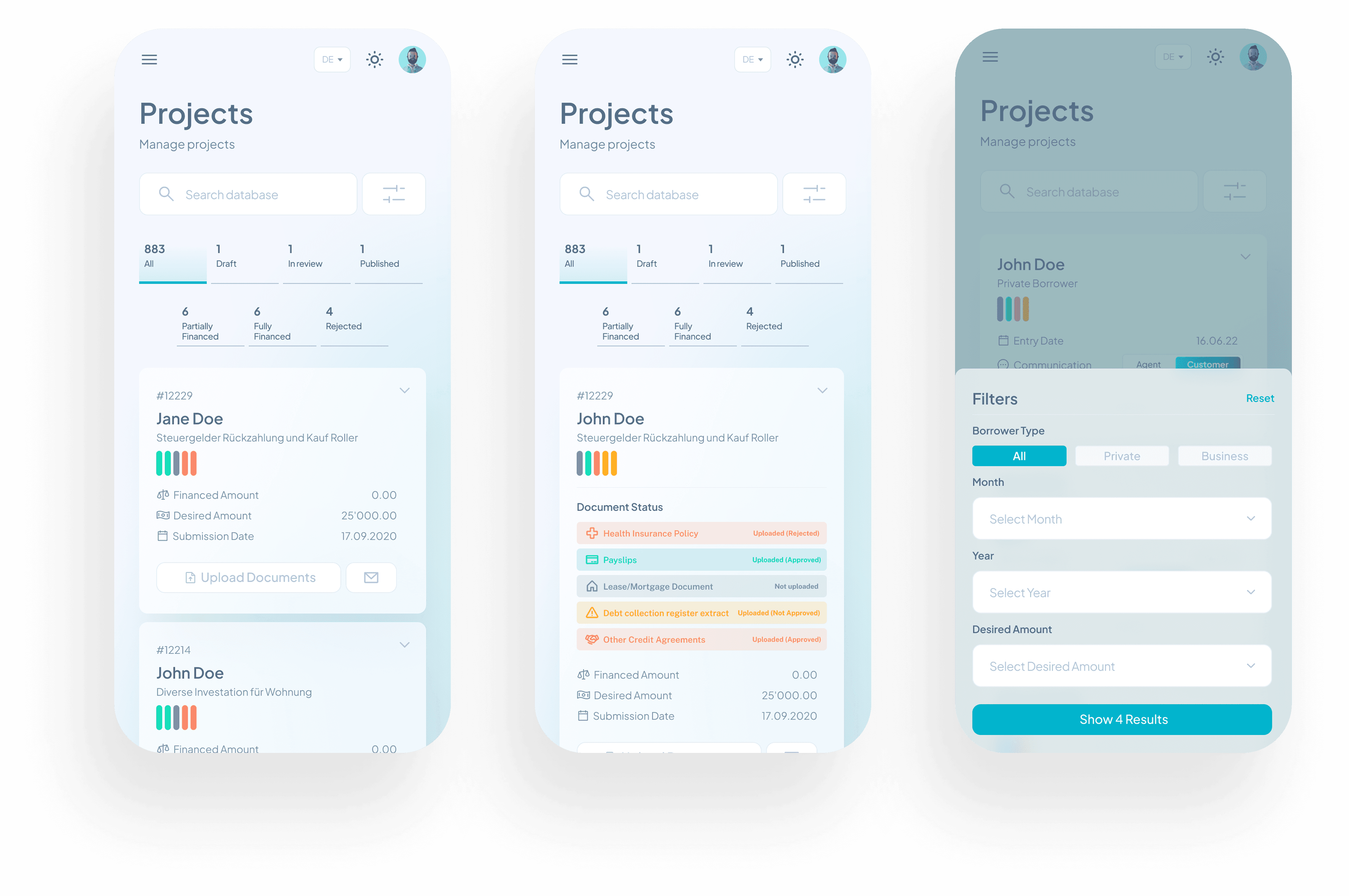
Projects are where a loan actually lives. Each one pulls together a borrower, a desired amount, a stack of required documents, and a status that changes as things move forward. On desktop this fits in a wide table. On mobile, I had to rebuild the whole thing without losing any of the information density.
I started with the top of the screen. Agents needed to see the shape of their pipeline before scrolling, so I added a counter row: total projects, drafts, in review, published, then partially financed, fully financed, rejected. One glance and you know what your week looks like. The active tab is underlined in teal, so even peripheral vision picks it up.
Each project becomes a card. Collapsed, it shows the essentials: project ID, borrower name, purpose, financed vs desired amount, submission date. Expanded, it opens into a full document checklist with color-coded statuses: green for approved, yellow for not approved, red for rejected, grey for not uploaded. Color does the heavy lifting so agents don't have to read every label, they can scan.
The two main actions, "Upload Documents" and message the borrower, sit at the bottom of the card where the thumb already is. No reaching, no menus, no extra taps.
The filter sheet was the trickiest piece. Agents filter projects by borrower type, month, year, and desired amount. Putting all of that in a dropdown menu would be a nightmare on mobile, so I built it as a slide-up sheet with grouped controls and a live result count on the submit button ("Show 4 Results"). You see what your filters will return before you commit to them.
Same logic as the desktop version, same color system, same calm. Just rebuilt so agents can manage a full pipeline of loans from a phone, with one hand, in between everything else they're doing.
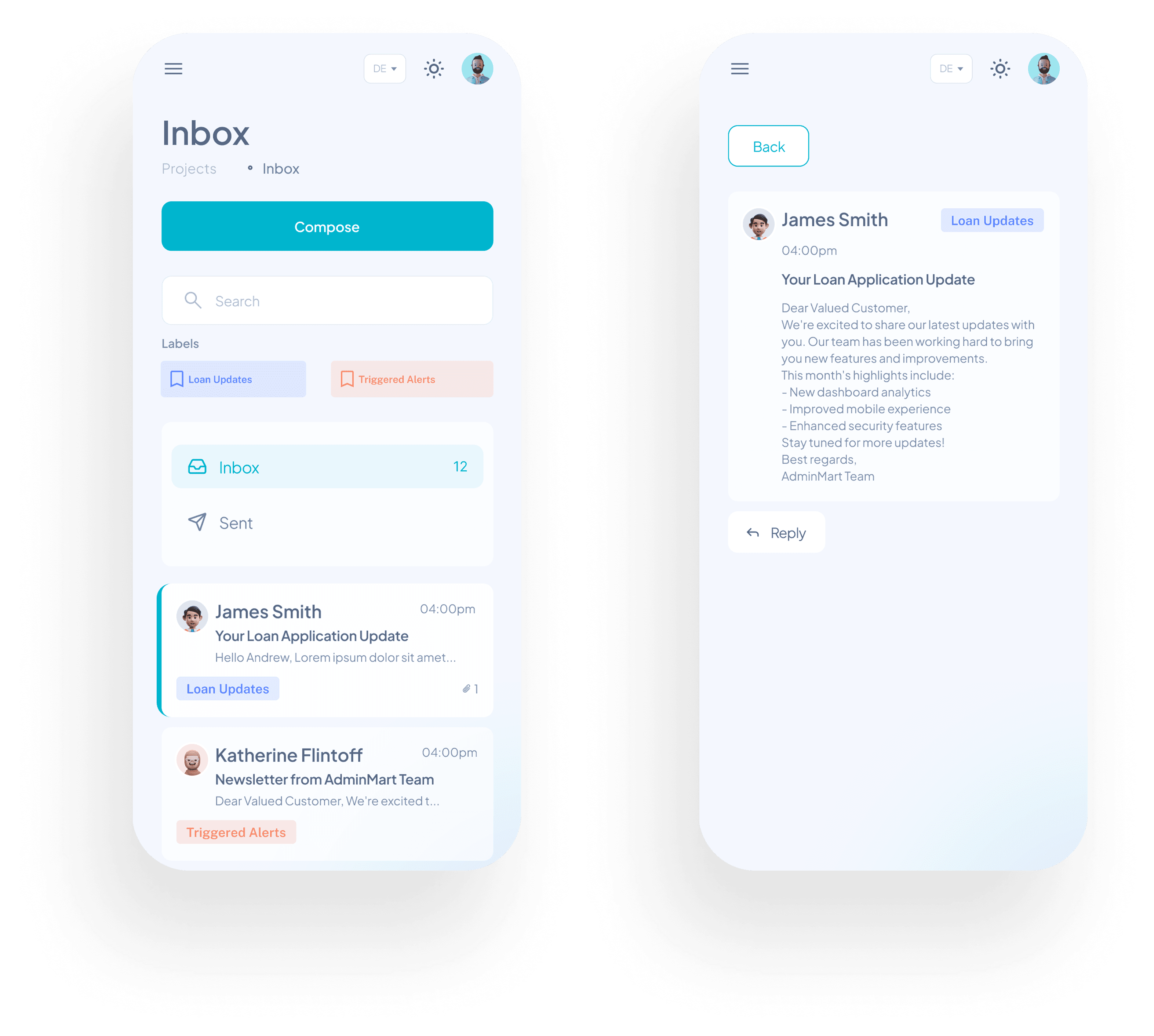
Client conversations, in your pocket
The mobile inbox keeps the same logic as desktop, just stripped down to what matters on a small screen. Compose sits at the top where it's always reachable. Labels are tappable chips for quick filtering between loan updates and triggered alerts. Each message becomes a card with the sender, time, preview, label, and attachment count, so agents can triage without opening anything.
Open a message and the layout breaks apart cleanly: sender at the top, label on the right, body in the middle, reply button at the bottom. Nothing competes for attention. Just the message and the one action that matters.

More Projects